See exactly what you're signing up for.
Three real screens from the OSHA Pulse customer portal, plus a sample of the report you can hand to an underwriter or a client. Every screenshot below is the actual product — the data is synthetic, the interface is not.
Three screens you'll spend time in.
The portal is small on purpose. No dashboard sprawl, no maps you don't need. Calm by default, dense when there's something to look at.
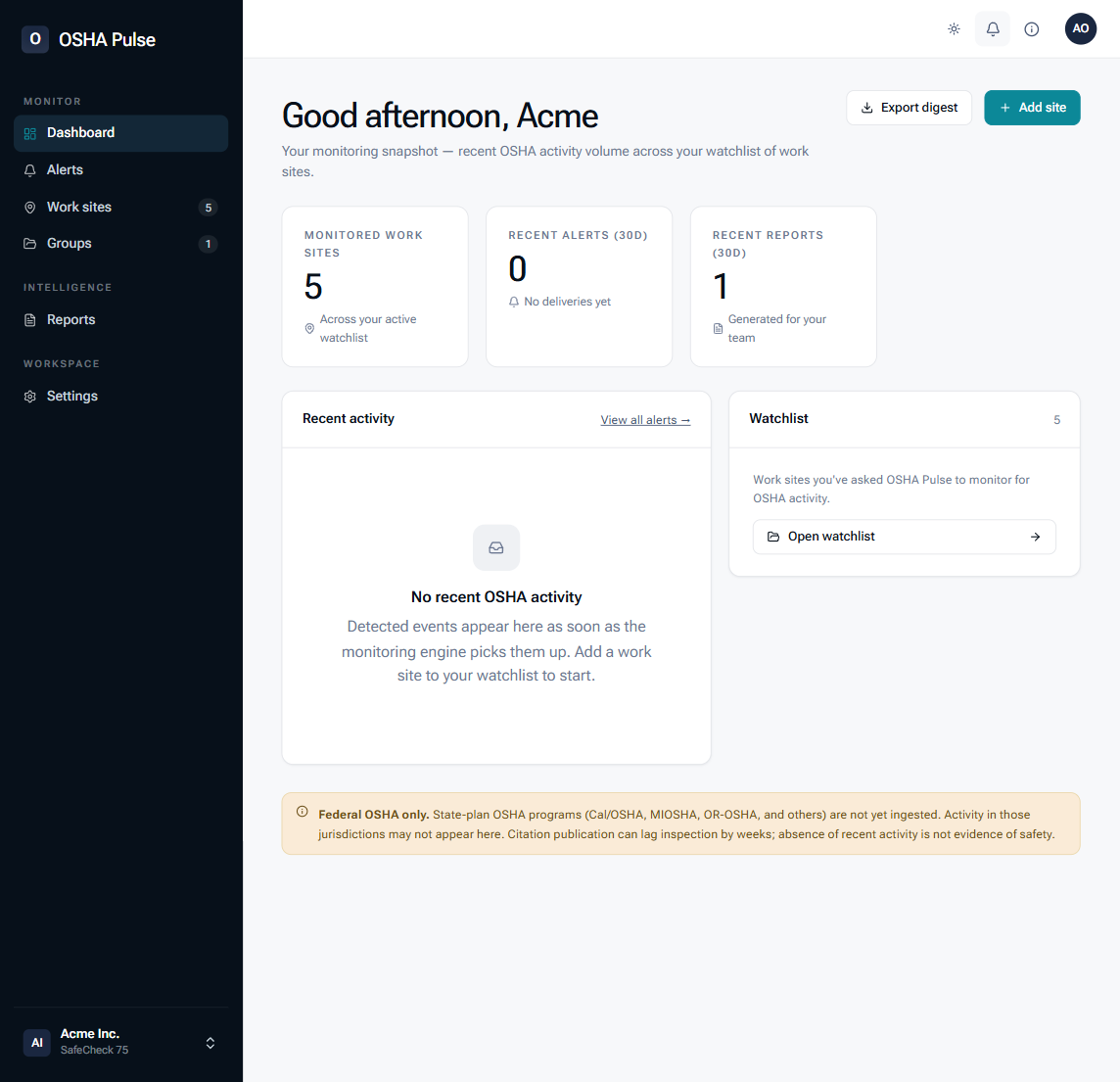
The morning brief that tells you whether to act.
Most days, nothing is open. When something is, the most-urgent item sits at the top with the work site, severity, and the underlying citation. Severity breakdown on the right shows the shape of your watchlist at a glance — no maps, no clutter.
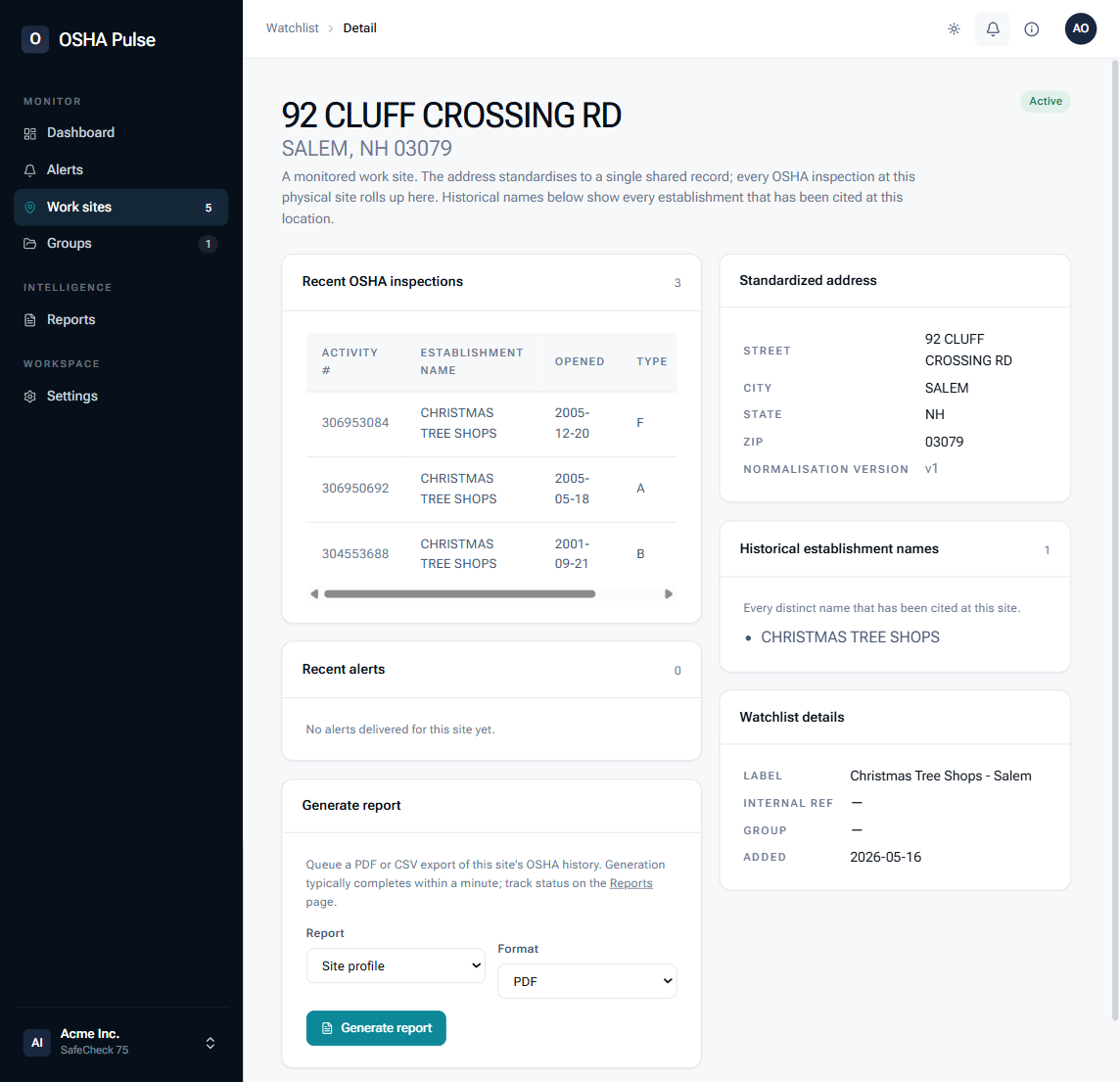
One page that becomes the work-site PDF.
Counters at the top. Full inspection envelope below, with every OSHA citation field exposed on drill-in: standard, hazard category, emphasis program, initial vs. current penalties, final-order status, gravity, instances, exposed. Accidents nested under their parent inspection. Download PDF is a button on the header — the page is the artifact.
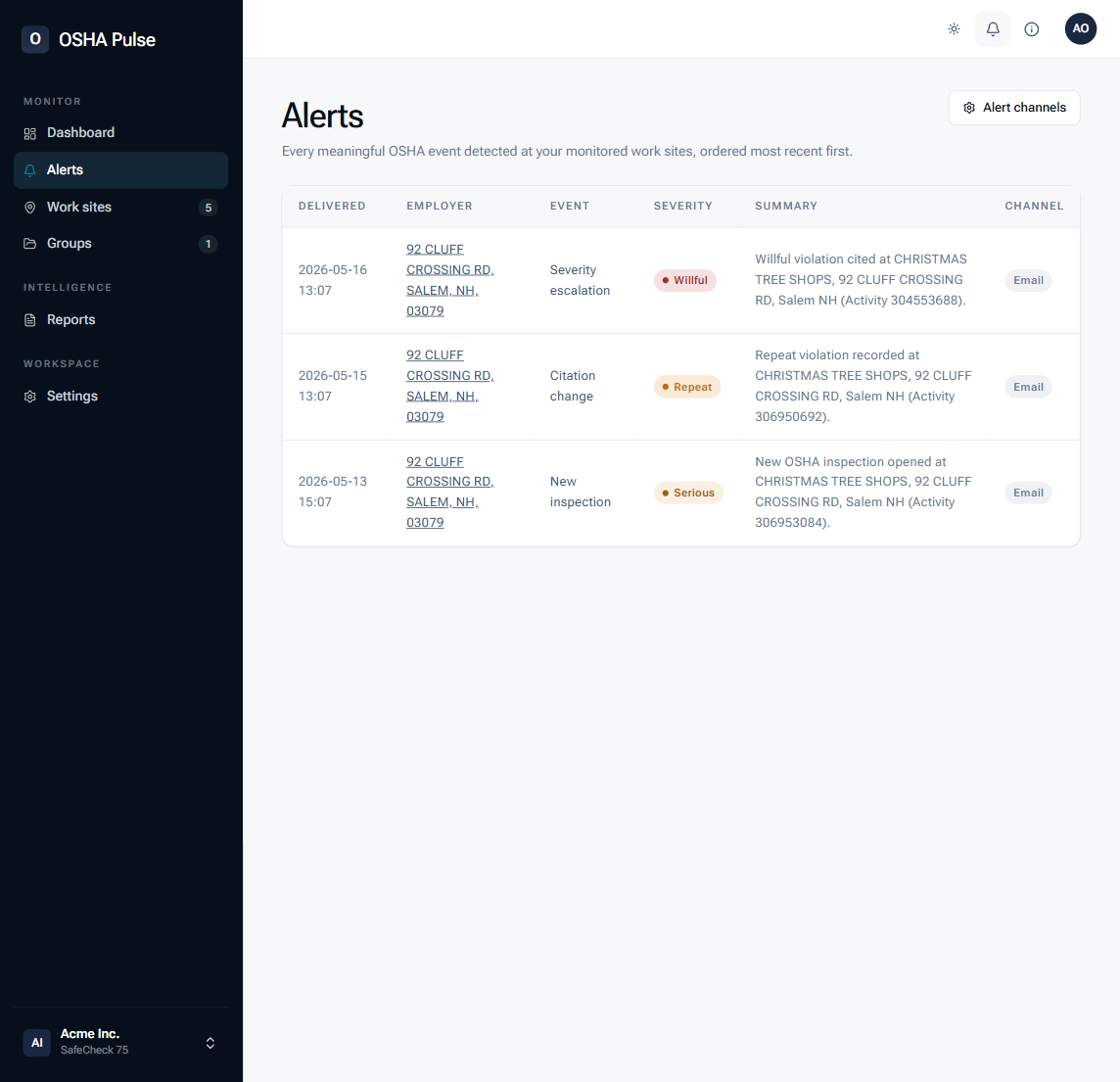
One feed. Filterable.
Every alert OSHA Pulse has delivered, chronological, filterable by severity, status, channel, or work site. From any row, two clicks to the underlying OSHA citation. Configure delivery in Alert Rules — severity floor, channels, schedule, quiet hours.
Watch every work site. Know the moment OSHA publishes.
Look up any address now, or upload a watchlist and let your inbox do the watching. The first sync runs on the next OSHA publication cycle.